Download 66 Game for Android : Update History and App Info


What is 66 Game?
66 Game stands out among Mobile Gaming Applications as a compact, fast-loading Android app structured around intuitive menus and consistent performance. Built for broad compatibility across Android devices, it pairs a streamlined layout with periodic version updates so players can launch and navigate games with minimal friction.
Technical Specifications & System Requirements
- App Name
- 66 Game
- Version
- 3.0.5
- Ratings
- File Size
- 45 MB
- Android Requirement
- Android 5.0 or later
- Last Updated
- 2026-11-15
- Downloads
- 973+
- Category
- Game Application
- Installation
- APK File
- Developer
- 66 Game Development Department
- Developer URL
- https://66game.app/
- Verify security
- Security verified
- Source
- Third-party distribution
Version History & Updates
-
Addressed stability issues reported on newer Android builds during mode switching.
Tuned local memory handling to keep frame pacing steady across everyday devices.
Refined touch response across primary lobby cards and navigation tabs. -
Streamlined package asset sizes to keep storage usage compact after installation.
Fixed minor text clipping and button spacing on smaller mobile screens.
Improved transition speed when returning from gameplay views to category menus. -
Smoothed session startup behavior during peak usage windows.
Adjusted background resource usage to help keep device temperatures even during longer play stretches.
Polished icon alignment and label clarity across settings panels.
Key Features & Gameplay
Streamlined Gameplay Tools: 66 Game brings together practical in-app controls and quick-access options built for smooth mobile gaming sessions.
Broad Android Compatibility: Engineered to run reliably on Android 5.0 and higher, supporting a wide range of phones and screen sizes.
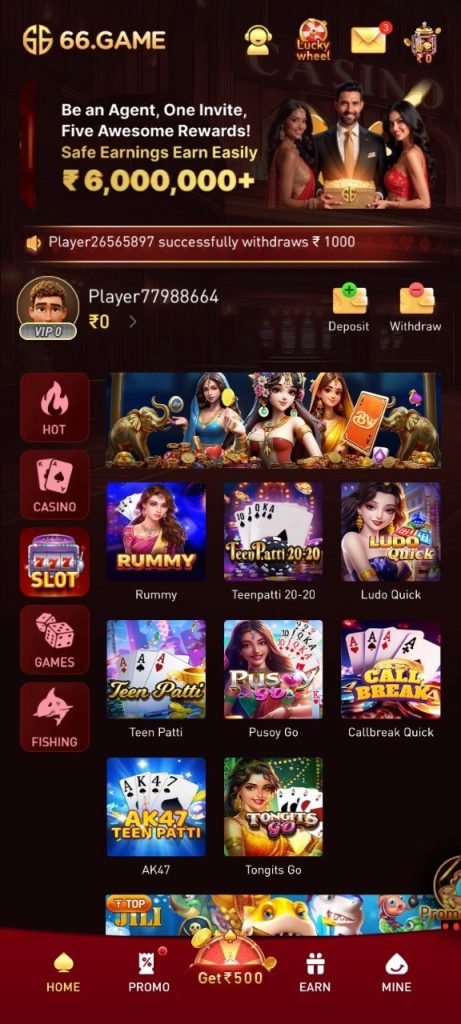
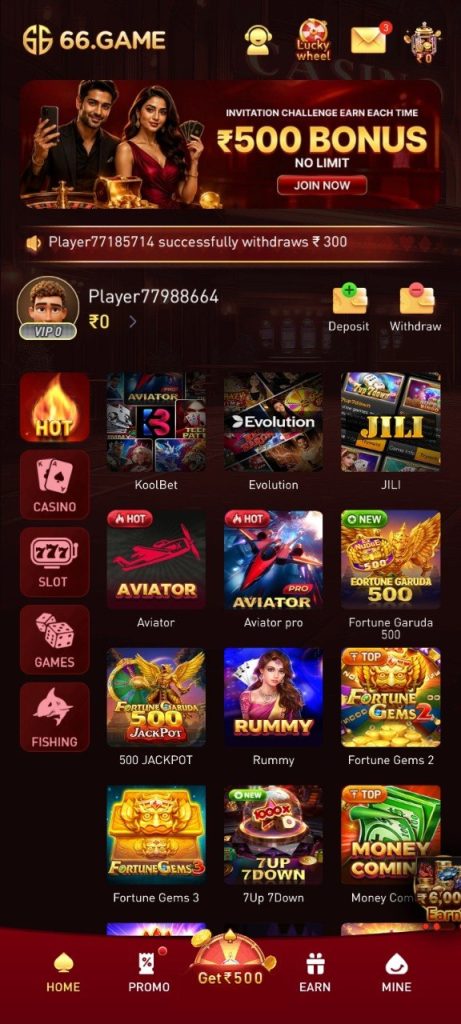
Intuitive Layout: Clean menus, clear categories, and uncluttered screens make browsing and switching modes straightforward.
Consistent Version Updates: Ongoing releases deliver stability refinements, bug fixes, and fresh additions across mobile gaming applications.
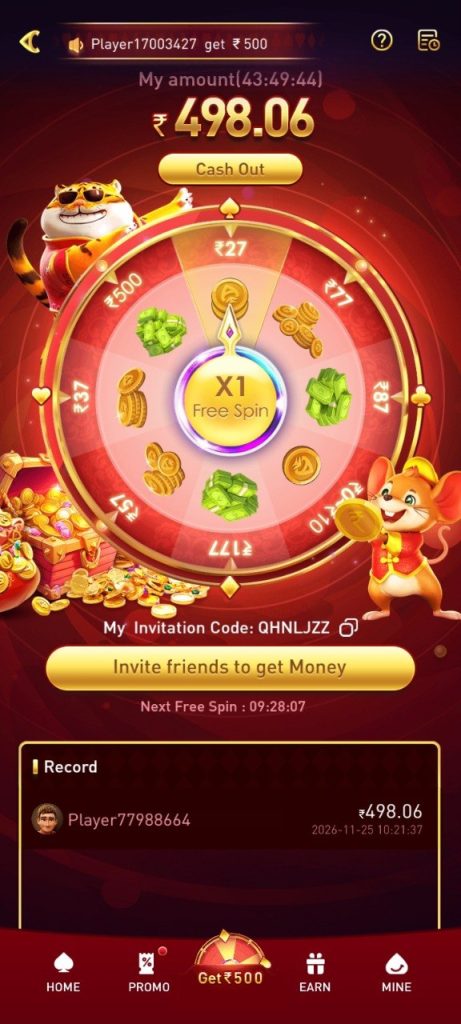
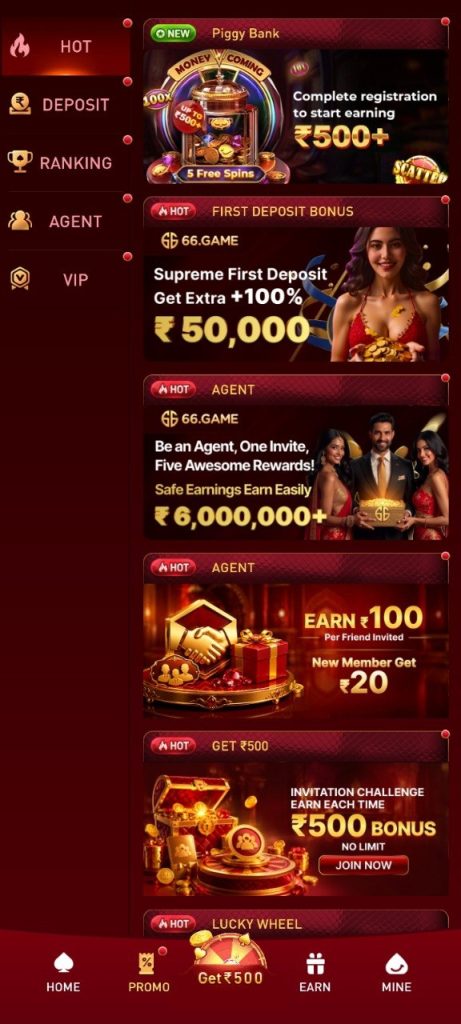
App Screenshots & Interface
How to Download and Install (Our Hands-On Test)
Follow these standard Android steps to retrieve and manually set up the 66 Game APK package on a mobile device:
-
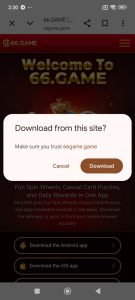 Save the APK File: Select the download link near the top of the page to store the 66 Game APK package inside the device's Downloads folder.
-
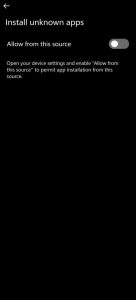 Allow External App Setup: Open device Settings > Apps (or Security) > Install unknown apps, then enable permission for the chosen browser or file manager.
-
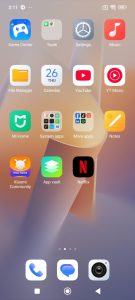 Open the Downloads Folder: Launch the device file manager, go to the Downloads directory, and locate the saved 66 Game APK file.
-
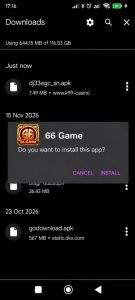 Start Package Setup: Tap the APK file to open the Android package installer, then select Install and wait for configuration to finish.
-
Open and Tidy Up Settings: Select Open or tap the new app icon on the home screen, then switch Install unknown apps back off in settings once setup is complete.
Frequently Asked Questions
Is the 66 Game APK safe to download?
File checks are run on the 66 Game APK package to help verify clean installation files before setup. Downloading from trusted sources such as 66game.app helps keep device setup reliable.
Why choose the 66 Game APK format?
The 66 Game APK format provides direct access to new package builds and regional availability without waiting on storefront delays, while letting users store a local installer copy.
What is the minimum Android version required for 66 Game?
66 Game runs on Android 5.0 or higher, supporting smooth interface rendering and broader stability across compatible devices.
Are there any charges to download or use 66 Game?
Downloading and installing the 66 Game APK is free, with core gameplay menus available at no upfront cost. Any optional in-app items remain separate from standard access.
How can 66 Game be updated to a newer version?
Download the latest 66 Game APK from 66game.app and install it over the current build. Existing settings and saved progress stay intact when using a matching package signature.
Does 66 Game work on all Android devices?
66 Game supports most Android phones and tablets running Android 5.0 and above, though speed depends on device RAM, processor performance, and screen resolution. Older devices or custom ROMs may load more slowly.
User Reviews & Feedback
-
 Menu layout feels clean and easy to read on smaller screens, though loading transitions between certain categories take a bit longer on older devices. Still usable for casual sessions once open.
-
 Switching between puzzle and arcade modes works smoothly without extra launchers or clutter. Adding clearer instructions for a few newer modes would make first-time play even smoother.
-
 Fast startup, responsive controls, and straightforward navigation give the app a tidy feel on mid-range phones. Short rounds fit easily into spare moments throughout the day.
-
 Pacing across standard stages stays balanced, and menus remain easy to follow after recent updates. Adding more variety in a couple of side categories would round out the lineup nicely.
Disclaimer & Safety Notice
Information and package details for the 66 Game APK on this page are provided for informational and personal reference only, without affiliation with or endorsement by the software creators. File checks are performed where possible to verify package integrity, though sourcing installation files from 66game.app or another trusted location and backing up device data beforehand remains essential. This site does not claim ownership over third-party trademarks or guarantee uninterrupted compatibility across every Android build, and any installation or usage occurs at the device owner's discretion in accordance with applicable local laws.